How to SSH into a home server from your phone without port forwarding
SSH into a home server from your phone without port forwarding: Tailscale, Thumbdesk, Cloudflare Tunnel and a reverse tunnel, with the steps for each one.

Founder, Thumbdesk · 5 min read
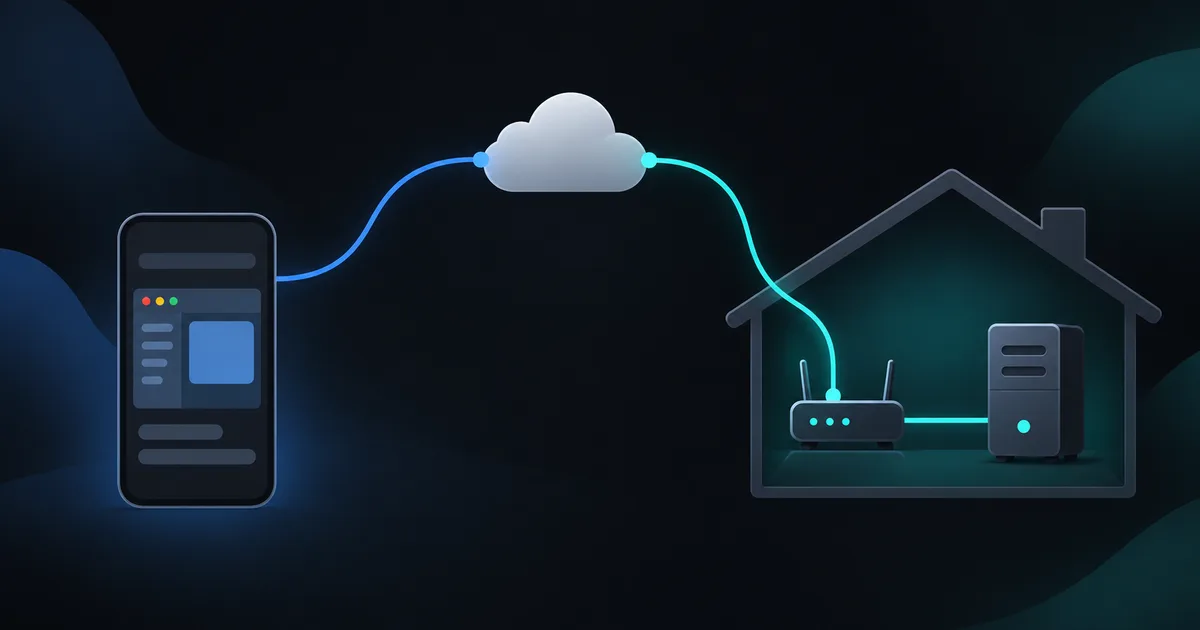
TL;DR: You can reach a home server from your phone without forwarding a port on its router. For SSH, a private network such as Tailscale or a reverse tunnel provides the connection your client needs. Thumbdesk also offers terminal access through a paired host agent, with files and monitoring in the same app. We build Thumbdesk. This guide separates SSH networking from agent-based access and shows how to choose and test a route.
How do you SSH into a home server from your phone without port forwarding?#
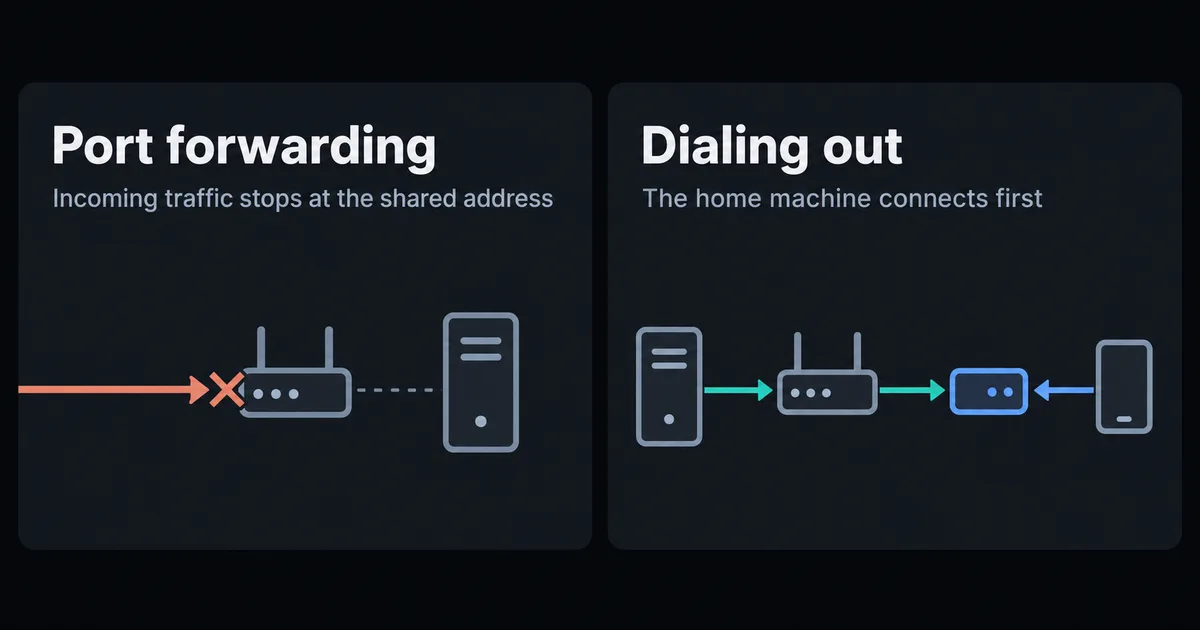
Have the home machine connect outward instead of waiting for a connection. You can give an SSH client a private network path, or use a paired agent that handles terminal access itself. Both approaches avoid a new inbound forwarding rule on the home router.
When port forwarding is unavailable#
Port forwarding tells your router to send incoming traffic to one machine. It has two problems.
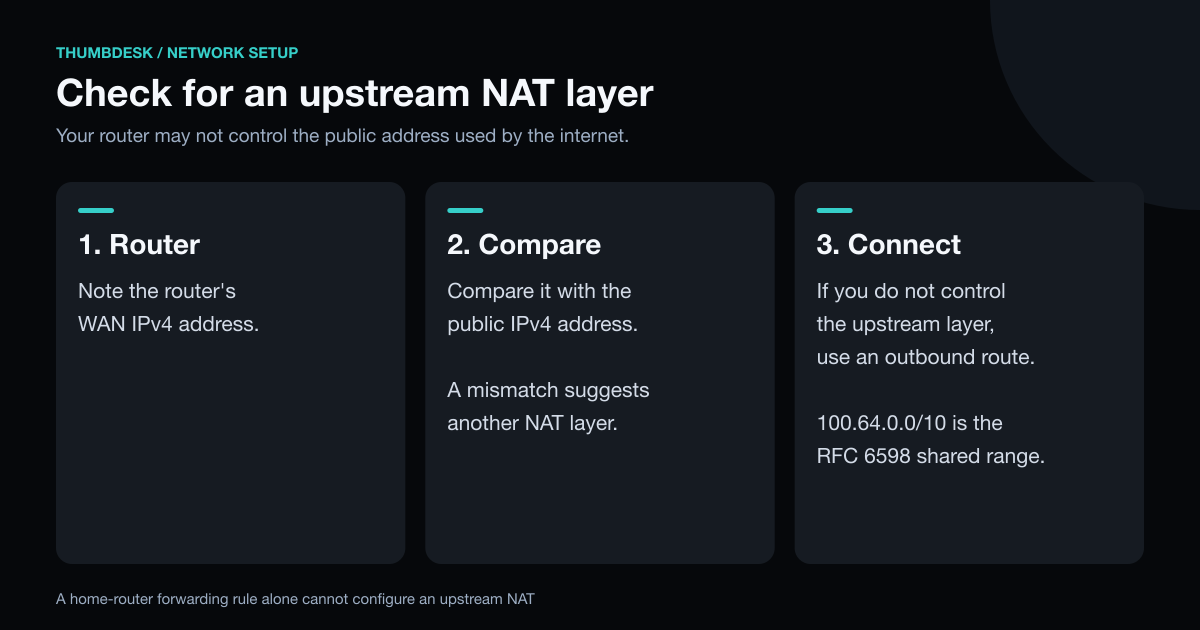
The first is that it often cannot work. Many internet providers put customers behind carrier-grade NAT, where your router's public-looking address is shared and the provider owns the real one. To check, compare the WAN address on your router's status page with what a "what is my IP" site shows. A mismatch suggests another NAT layer upstream. An address in 100.64.0.0/10 is in the shared range used for carrier-grade NAT. If an upstream router or provider controls the public address, a forwarding rule on your home router alone is insufficient.
The second is exposure. An open port 22 receives automated login attempts from the whole internet. That is manageable with key-only login, but you have to look after it.
Which option should you use?#
| Option | Needs on the phone | Needs on the server | Cost | Best for |
|---|---|---|---|---|
| Tailscale | Tailscale app and an SSH app | Tailscale | Free for personal use | A private network for everything |
| Thumbdesk | Thumbdesk | The Thumbdesk agent | Free for 2 machines | Paired terminal, files and monitoring |
| Cloudflare Tunnel | An SSH client that can run cloudflared | cloudflared, a domain on Cloudflare | Check Cloudflare's current plans | Laptops and teams already on Cloudflare |
| Reverse SSH tunnel | Any SSH app | An outbound SSH command and a VPS | The price of a VPS | People who already rent a server |
Paired terminal access with Thumbdesk#
Thumbdesk provides a terminal through its paired host agent. This connection uses Thumbdesk's transport rather than the SSH protocol; the app also supports ordinary SSH hosts when you already have a network path. The agent makes outbound connections only, so there is nothing to open on the router.
curl -fsSL https://thumbdesk.com/install.sh | bash   # Linux or Apple Silicon Mac
thumbdesk pair                                       # prints a QR code
Scan the code with the app and the machine is paired, without keys or a VPN. On Windows, install with npm i -g thumbdesk.
You also get more than a shell. Terminal sessions live on the machine, so they survive a dropped connection. The app has the machine's files, live stats and alerts, and the screen if it has a desktop, all in one place.
WebRTC connections, including those through TURN, encrypt terminal traffic end to end. A separate signaling-terminal fallback uses TLS but is readable by our application relay. The security page explains these paths and the in-app connection indicator.
SSH through Tailscale#
Tailscale puts your devices on a private network with stable addresses. Install it on the server and the phone, sign in to both, then SSH to the machine's Tailscale address from any SSH app. Check its current plans for personal-use eligibility and device limits.
It connects enrolled devices and can reach other networks when you configure subnet routing, which suits a homelab with several services. The VPN slot on your phone is taken while it is on, since phones generally allow one active VPN, and you still manage SSH keys unless you use Tailscale SSH. That feature runs on Linux and macOS servers and only on port 22.
SSH through Cloudflare Tunnel#
Cloudflare Tunnel runs cloudflared on the server, which connects out to Cloudflare, and you route a hostname to it. Cloudflare's guide has you install cloudflared on the client as well and connect through an SSH ProxyCommand.
Before you rely on this on a phone, check that your SSH app can run a proxy command. Termux is the likeliest to manage it, since it is a real Linux environment. You also need a domain on Cloudflare.
A reverse SSH tunnel through a VPS#
If you already rent a small server with a public address, your home machine can hold a tunnel open to it:
# On the home machine: expose its SSH on port 2222 of the VPS
ssh -N -R 2222:localhost:22 user@your-vps.example.com

# From the phone: log in to the VPS, then hop home
ssh -p 2222 homeuser@localhost
Nothing new is installed, and any SSH app works. Use autossh or a systemd service to restart the tunnel when it drops. You pay for and maintain the VPS, and all traffic takes a detour through it.
What happens once you are away from home?#
Configure and test access while you can still reach the host locally. For Thumbdesk, keep the machine awake, online and running its agent. Check that service startup is configured, and test a reboot if you need access after a restart. Then turn off Wi-Fi on your phone and try the connection over mobile data. A phone disconnect leaves host-managed terminal work running; a host reboot is a separate event.
Which should you choose?#
- You want to keep an existing SSH client or reach several private services: Tailscale.
- You want paired terminal access with files and monitoring: Thumbdesk.
- You already have a VPS and like plain SSH: a reverse tunnel.
- You already use Cloudflare, and mostly connect from a laptop: Cloudflare Tunnel.
The connection is only half of phone SSH. A phone disconnect can interrupt work unless the terminal session persists on the host, so read how to keep an SSH session alive on your phone next.
You can try Thumbdesk's setup in your browser on our home page, with nothing to install, then download it free for 2 machines.
Figures in this post were read on 31 October 2026 and may have changed since.