Thumbdesk vs Termius (2026)
Compare Thumbdesk and Termius for phone-based work: SSH and paired hosts, terminal persistence, coding-agent chat, projects, screen access and plans.

Founder, Thumbdesk · 4 min read
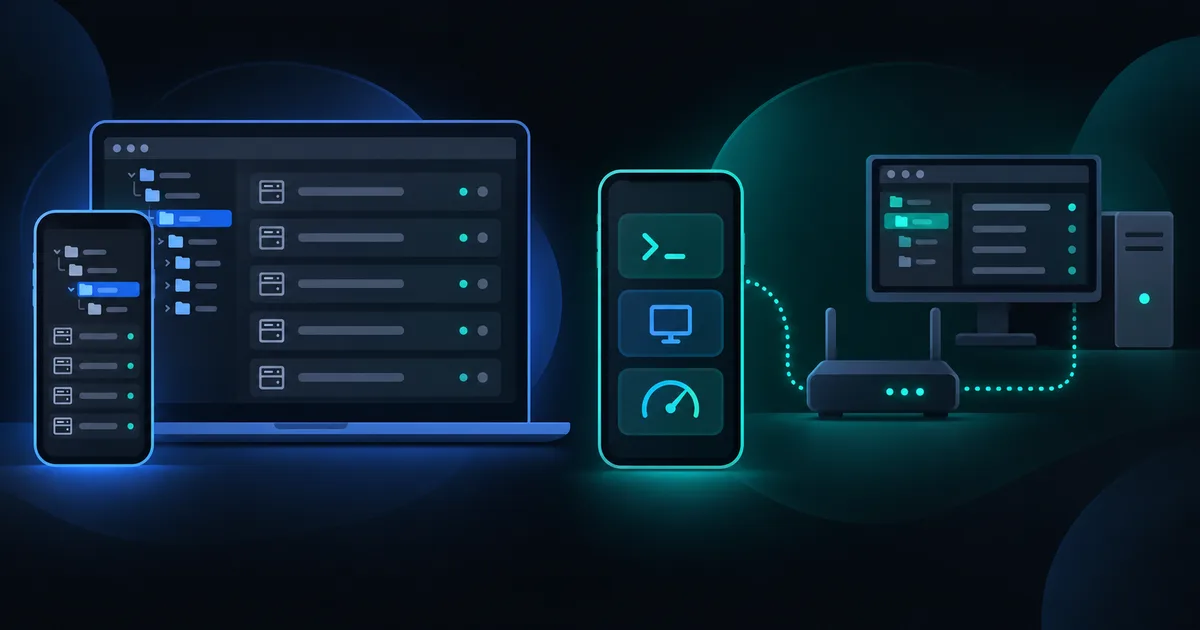
TL;DR: Thumbdesk and Termius both connect your phone to servers, but organise the work differently. Thumbdesk combines SSH and paired-agent hosts with coding-agent chat, project tools, screen sharing and monitoring. Termius offers an SSH/SFTP workflow across mobile and desktop, with sync and team plans. We build Thumbdesk. Compare the way you connect and the task you want to finish: editing a server file, continuing a coding conversation or checking a machine at home.
Thumbdesk vs Termius: how do you connect?#
If you knew the app as PocketShell, Thumbdesk is its new name.
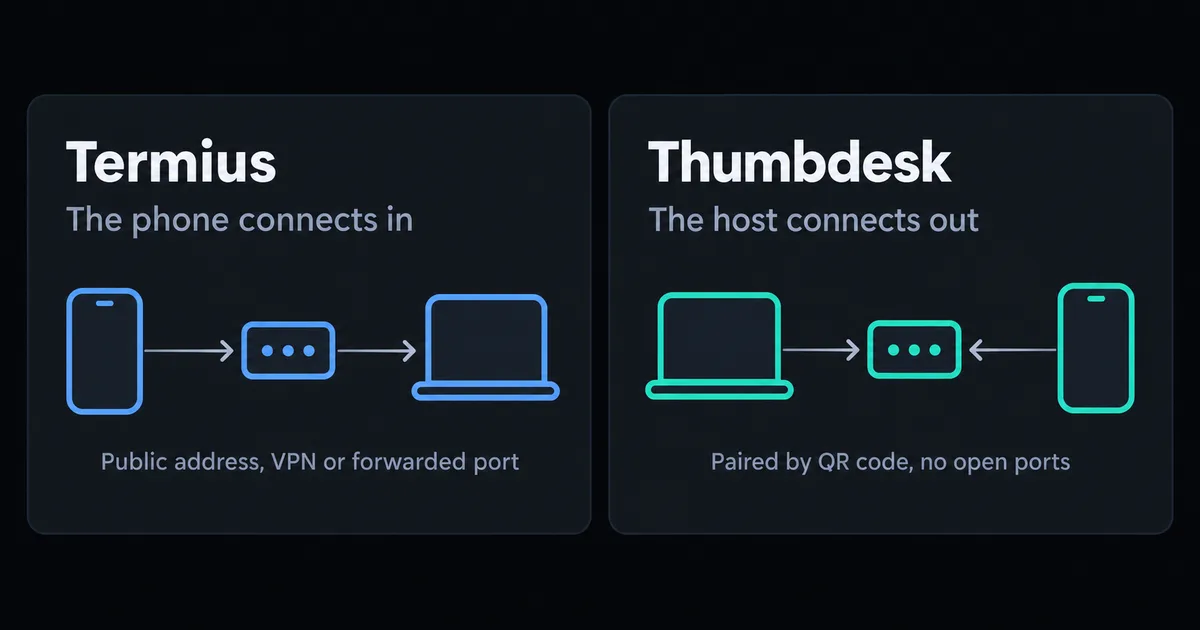
Thumbdesk supports two routes. Add an existing SSH server with a password or key when the phone already has a network path to it. Or install the host agent and scan its pairing QR code for a computer behind a router. Paired access avoids opening an inbound port or setting up a VPN for that machine.
Termius connects over SSH and related protocols to reachable hosts. Its desktop and mobile apps offer a shared workflow, with sync and collaboration depending on plan. If you already have a network path and a host configuration you use across devices, those are useful points to compare.
From a terminal to the rest of the task#
Suppose you are checking a service from your phone. In Thumbdesk, open the host's live stats, inspect the relevant process, then open the terminal to read its logs. Browse or edit a configuration file and return to the shell for the next command. On paired-agent hosts, background alerts can tell you when to take another look.
For a coding task, open Claude Code, Codex or Grok in Chats, choose a project and describe the change. Inspect the resulting git diff, read a file or open the host's dev-server preview. The CLI must already be installed and authenticated on the host. Saved conversations and supported live chats appear alongside these project tools.
Termius also documents running coding agents from its terminal. Its mobile agents guide covers tmux, startup commands, SFTP attachments and port-forwarded previews. Compare a shell-based agent workflow with Thumbdesk's dedicated chat and project views.
Compare the features that affect setup#
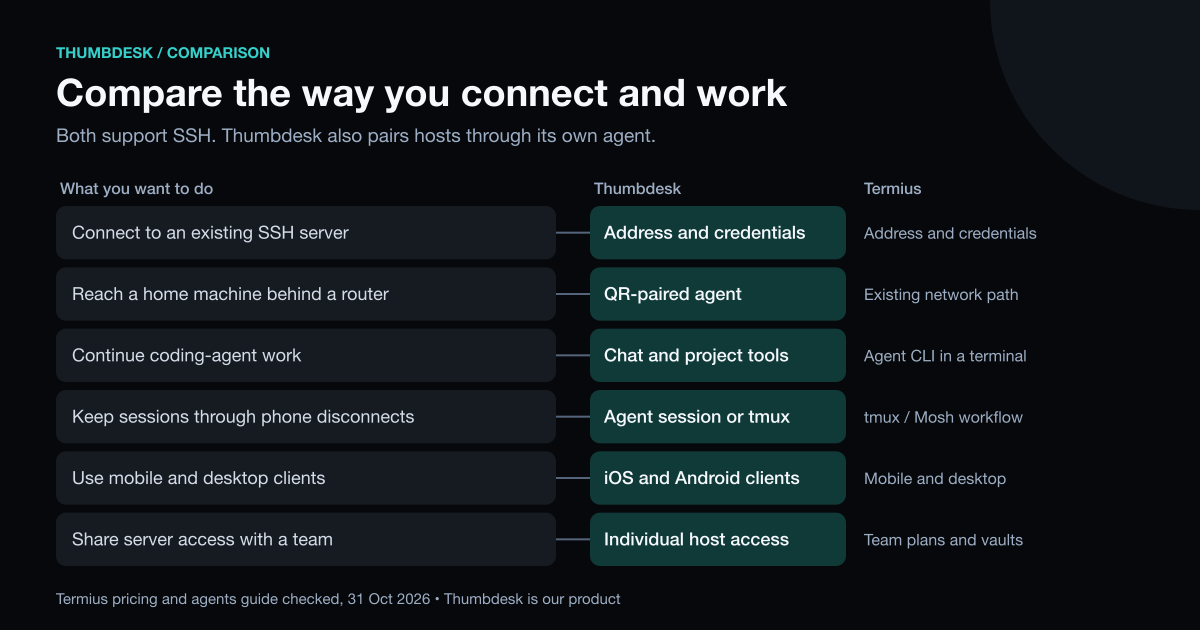
| Area | Thumbdesk | Termius |
|---|---|---|
| Existing SSH hosts | Terminal, SFTP files, live stats and projects | SSH, SFTP and port forwarding |
| Agent-based access | QR pairing for hosts behind a router | Use an existing reachable network path |
| Session persistence | Host-managed terminals on agent hosts; tmux when available over SSH | tmux or Mosh-based workflows |
| Coding work | Agent chat, saved sessions, git tools and dev preview | Run agent CLIs in the terminal |
| Desktop access | Screen control on supported agent hosts | Compare its terminal-focused workflow |
| Working across devices | iOS and Android clients; agent on the computer | Mobile and desktop clients, with sync options |
| Collaboration | Individual access to your own machines | Shared vaults and team plans |
Reconnecting and screen access#
On agent hosts, Thumbdesk owns its terminal sessions, so a phone disconnect leaves them running. Reconnect to the existing session when you return. Keep the computer awake, online and running the agent; host reboots and explicit session closure are separate events. On SSH hosts, install tmux if you want persistent terminals.
Screen sharing also needs the host's capture and input permissions. Test it while you are at the computer, especially on Linux systems that require a local sharing prompt. Our remote desktop guide covers the setup considerations.
Plans and the next step#
Thumbdesk Free supports two hosts, live stats, files up to 5 MB each and the latest ten agent sessions. It includes two active alerts, two saved project spaces and two minutes of screen sharing per hour. Pro is $4.99 a month or $39.99 a year; Lifetime is $99 once. See pricing for all limits.
Termius Starter includes SSH, SFTP and port forwarding. Its paid plans add sync, vault and collaboration features. Compare the specific features you need rather than treating the two subscriptions as identical purchases.
Download Thumbdesk and add a server you already use, or pair a home machine. Try a complete task: inspect a service, edit a file or continue a coding conversation. The security architecture explains the connection paths, including the signaling-terminal fallback that is TLS-protected but readable by our relay.
We checked Thumbdesk details against its implementation and Termius descriptions against the linked product documentation on 31 October 2026. See our methodology and corrections.
Figures in this post were read on 31 October 2026 and may have changed since.