Raspberry Pi remote access from your phone: 4 ways
Get Raspberry Pi remote access from your phone with Raspberry Pi Connect, Thumbdesk, SSH or VNC: what each one gives you, including with no ports opened.

Founder, Thumbdesk · 4 min read
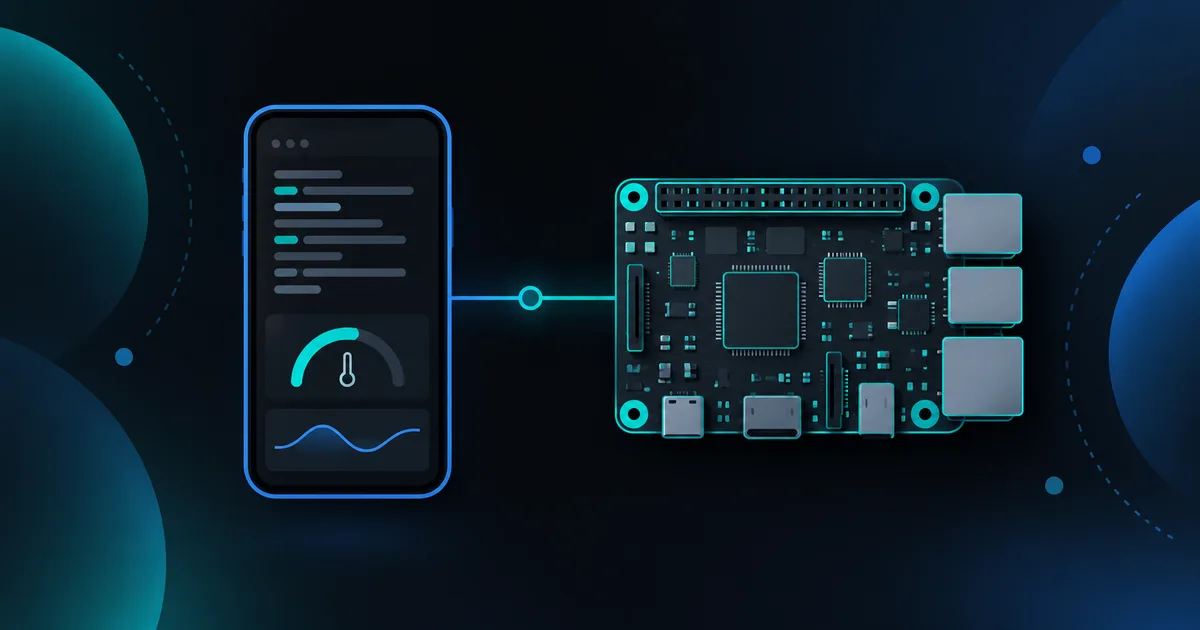
TL;DR: To manage a Raspberry Pi from your phone, pair it with Thumbdesk for terminal access, files, live stats and alerts. You can check a long-running command or investigate a hot or nearly full Pi from the same app. We build Thumbdesk; Free supports two machines. Raspberry Pi Connect, SSH and VNC are other routes, depending on whether you want browser access, a shell or a desktop. This guide compares the setup for each.
What are the ways to get Raspberry Pi remote access from a phone?#
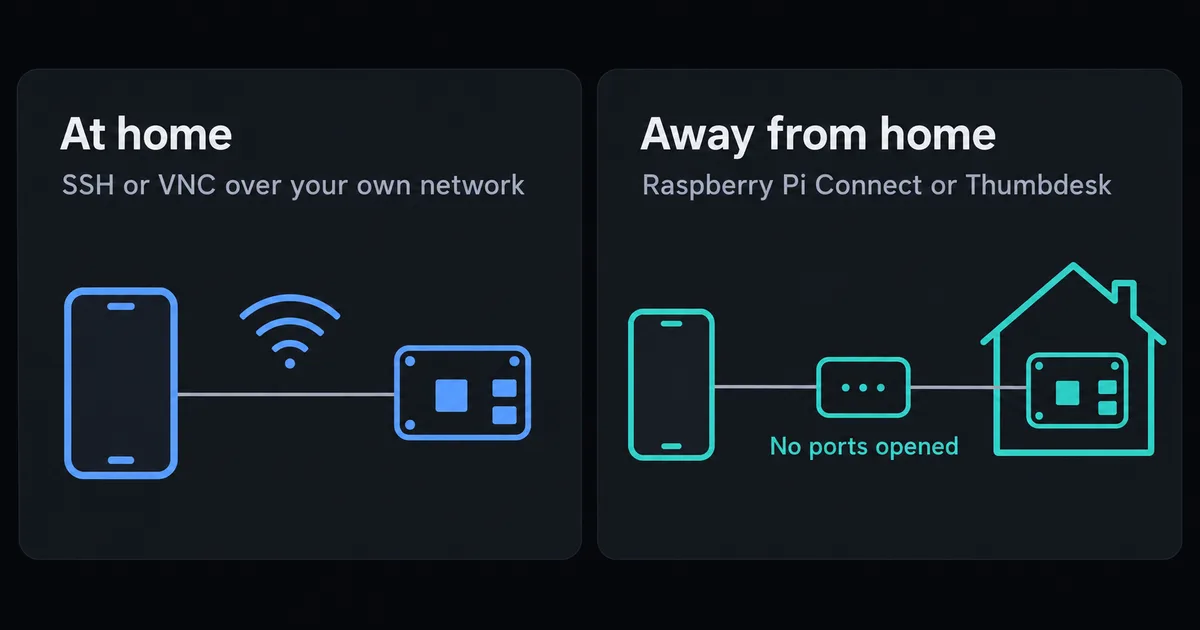
| Method | You get | Works away from home | Setup | Cost |
|---|---|---|---|---|
| Raspberry Pi Connect | Screen and shell, in a browser | Yes | Sign in on the Pi | Free for personal accounts |
| Thumbdesk | Terminal, screen, files, stats, alerts | Yes | One command and a QR scan | Free for 2 machines |
| SSH | Terminal | Needs a network path, such as a VPN | Turn on SSH, add an app | Free |
| VNC | Screen | Only with a VPN or a cloud service | Turn on VNC, add a viewer | Free locally |
Pair the Pi with Thumbdesk#
Thumbdesk combines remote access with stats and background alerts in a native phone app. On a 64-bit Raspberry Pi OS:
curl -fsSL https://thumbdesk.com/install.sh | bash
thumbdesk pair
Scan the QR code with the app. Keep the Pi online and its agent running; pairing handles access behind the router without a forwarding rule. Setup attempts to configure automatic startup. Check service status and test a reboot before relying on unattended access after a power cut.
A Pi often sits somewhere out of sight, so a few things matter in particular:
- Temperature and disk alerts. Get a push when the Pi runs hot or its SD card fills up, or when it goes offline.
- Sessions on the Pi. A long
apt upgradekeeps running when you lock your phone, and you come back to the same screen. - Files. Move files to and from your phone without a second app. The free plan allows 5 MB per file, and Pro has no limit.
- Desktop access. Screen sharing needs a running graphical session and capture permissions; some Linux setups ask for local consent. Check this on your Pi before relying on unattended screen access. A headless Pi still supports terminal, files and monitoring.
- Home-screen widgets. See the Pi's CPU, memory and disk without opening the app.
An older 32-bit board can still join as a plain SSH host over your network, with the terminal, files and stats.
Connect through Raspberry Pi Connect#
Raspberry Pi Connect is the official service, and it needs no IP addresses or firewall changes. It is installed by default on Raspberry Pi OS Desktop and Full, on Bookworm or later. You link the Pi to your account, then open connect.raspberrypi.com on any device, phone included.
It connects directly when it can and uses a relay when it cannot. Screen sharing needs the Wayland window server, so on Raspberry Pi OS Lite you get the remote shell only. It offers browser-based access through your Raspberry Pi account. Compare it when you want to connect without a separate phone client.
Use SSH over your network#
SSH is the standard terminal route, and every Pi supports it.
sudo raspi-config nonint do_ssh 0   # turn on SSH
hostname -I                         # find the Pi's address
Then connect from an SSH app on the phone. Our guides cover SSH apps for Android and mobile terminals in general. On your home network, that is all. From elsewhere you need a VPN or tunnel, and we compare those in how to SSH without port forwarding. Run tmux so that long jobs survive when your phone sleeps.
Share the desktop with VNC#
VNC shares the desktop. Raspberry Pi OS uses WayVNC as its server, which you turn on in raspi-config, and you connect with a VNC viewer on the phone. Raspberry Pi's documentation describes this for the local network, and reaching it from outside takes a VPN or a cloud service.
Which should you choose?#
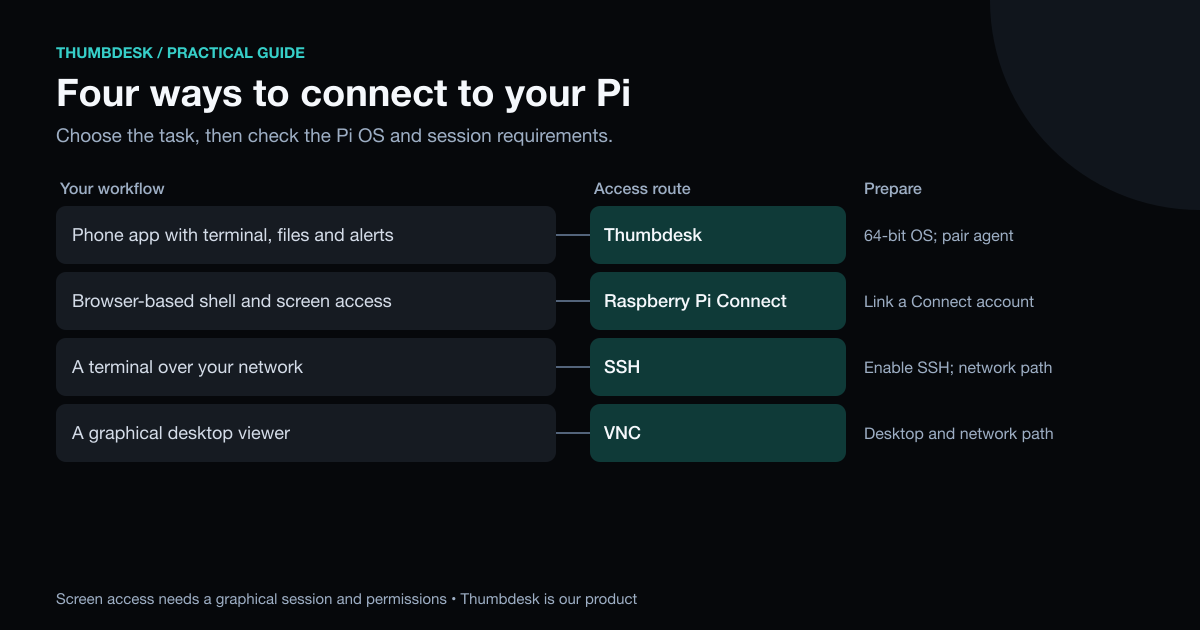
- You want the official option in a browser: Raspberry Pi Connect.
- You want terminal, files and alerts in a phone app: Thumbdesk.
- You are at home and only need a terminal: SSH.
- You need a desktop on your own network: VNC.
Thumbdesk is our product. The rest comes from Raspberry Pi's documentation and was read on 31 October 2026. For the broader picture beyond the Pi, read how to access your computer from your phone.
You can try Thumbdesk's setup and live stats in your browser on our home page, with nothing to install, then download it free for 2 machines.
Figures in this post were read on 31 October 2026 and may have changed since.